Free AI Video Generator: Best Tools to Create Videos Online in 2026
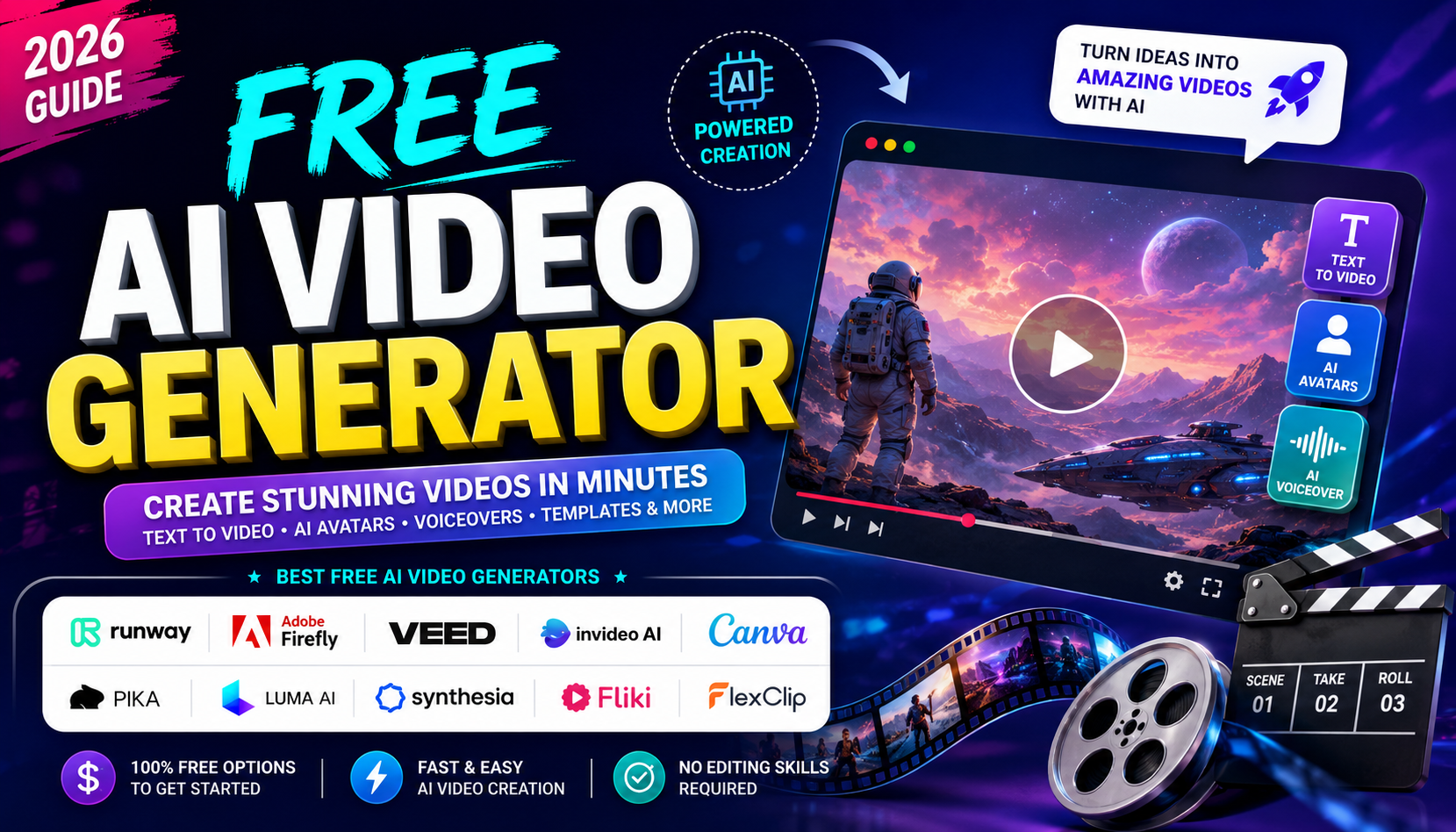
Creating professional videos no longer requires expensive editing software, cameras, or advanced technical skills. With a free AI video generator, anyone can turn a simple idea, text prompt, script, or image into an engaging video within minutes. AI-powered video tools are becoming increasingly popular among YouTubers, bloggers, marketers, students, businesses, and social media creators.
Modern AI video generators can help with everything from creating short social media clips to producing presentations, advertisements, explainers, cinematic scenes, and AI-avatar videos. Some platforms focus on text-to-video generation, while others combine AI generation with templates, stock footage, voiceovers, subtitles, and video editing.
In this guide, we explore some of the best AI video generator websites you can try online.
What Is a Free AI Video Generator?
A free AI video generator is an online tool that uses artificial intelligence to create or edit videos from simple instructions. Depending on the platform, you may be able to enter a text prompt, upload an image, provide a script, or select a template.
For example, you could enter a prompt such as:
“Create a cinematic video of a futuristic city at sunset with flying cars and dramatic camera movement.”
The AI can interpret the description and generate a video based on the requested scene.
Many platforms provide free plans or free credits, although limitations such as watermarks, shorter videos, lower resolution, or limited monthly generations may apply.
Best Free AI Video Generator Websites
1. Runway
Runway AI Video Generator is one of the most advanced platforms for generative video. It supports text-to-video, image-to-video, video editing, visual effects, background replacement, object removal, and other creative workflows.
Runway provides a free plan, allowing users to test its AI video-generation features without immediately purchasing a subscription. Its tools are particularly useful for creators who want cinematic visuals and more control over their generated clips.
Best for: Cinematic videos, creative projects, visual effects, and image-to-video generation.
2. Adobe Firefly
Adobe Firefly AI Video Generator lets users generate videos from text prompts or images. Adobe has also integrated multiple video models into Firefly, giving creators different options for generating and refining videos.
Firefly can be useful for B-roll, product visuals, social media content, concept videos, and cinematic scenes. Adobe currently offers limited complimentary generations for free users, while more extensive premium video generation requires a paid plan.
Best for: Adobe users, marketers, designers, and professional creative workflows.
3. VEED AI Video Generator
VEED AI Video Generator combines AI video generation with a complete online video editor. Users can generate videos from text, scripts, or images and add AI voiceovers, avatars, subtitles, and other editing elements.
VEED is particularly convenient when you want to generate a video and finish the editing process in the same browser-based platform. Its free option can be used without entering credit-card information, although free exports and features may have limitations.
Best for: YouTube videos, social media content, subtitles, and quick editing.
4. InVideo AI
InVideo AI is designed for people who want to turn an idea or written prompt into a complete video. It can help generate scripts, select visuals, add voiceovers, and assemble scenes.
This makes it a useful option for beginners who do not want to manually edit every part of a video.
Best for: Explainer videos, YouTube content, advertisements, and marketing videos.
5. Canva AI Video
Canva is another beginner-friendly option. Canva combines AI-powered features with its familiar drag-and-drop design editor, templates, stock assets, animations, and social media tools.
It is especially useful if you already use Canva for thumbnails, presentations, Instagram posts, or other visual content.
Best for: Social media videos, presentations, reels, and beginners.
6. Pika
Pika AI focuses on creative AI video generation and effects. It is useful for experimenting with short clips, image animation, visual transformations, and stylized content.
Pika can be a good choice when your goal is to create eye-catching short-form content rather than a traditional long video.
Best for: Creative effects, short videos, experiments, and social media content.
7. Luma AI
Luma AI provides generative video tools designed for creating visually rich and realistic scenes. It can be particularly useful for creators interested in cinematic motion, image-to-video workflows, and experimental visual storytelling.
Best for: Cinematic scenes, realistic motion, and creative storytelling.
8. Synthesia
Synthesia AI Video Generator takes a different approach to AI video creation. Instead of focusing only on cinematic text-to-video clips, Synthesia specializes in AI presenters and avatar-based videos.
You can create videos where an AI avatar presents information using generated speech. This makes it useful for businesses, training materials, educational content, presentations, and internal communications.
Best for: Training videos, business presentations, educational content, and AI presenters.
9. Fliki
Fliki AI allows users to transform written content into videos with AI-generated voiceovers and visual assets. It can be particularly useful for bloggers and content creators who want to repurpose articles, scripts, or social media content into videos.
Best for: Blog-to-video content, voiceovers, educational videos, and social media.
10. FlexClip
FlexClip AI Video Generator combines AI-powered video creation with an online editing platform. It offers templates and tools that can help beginners create marketing videos, social posts, presentations, and promotional content.
Best for: Beginners, marketing videos, templates, and quick editing.
How Does AI Video Generation Work?
Most AI video generators follow a relatively simple workflow:
Step 1: Enter an idea or prompt
Describe what you want the video to show. Include the subject, environment, camera movement, style, lighting, and mood when possible.
Step 2: Choose the generation settings
Depending on the platform, you may select aspect ratio, video duration, model, resolution, or visual style.
Step 3: Generate the video
The AI processes your prompt and creates a video clip. Some tools generate multiple variations so you can choose the best result.
Step 4: Edit and customize
Add music, subtitles, voiceovers, transitions, logos, effects, or additional scenes.
Step 5: Export the final video
Download or publish the finished video to your preferred platform.
Tips for Getting Better AI Video Results
The quality of an AI-generated video often depends on the quality of your prompt. Instead of writing something very short like “a man walking,” provide more information.
For example:
Basic prompt:
“Man walking in a city.”
Better prompt:
“A young man walking through a futuristic city at night, neon lights reflecting on wet streets, cinematic lighting, slow camera movement, realistic environment, shallow depth of field.”
Adding details about camera movement, lighting, subject, environment, style, and mood can help produce more useful results. Adobe also recommends including details such as shot distance, camera angle, motion, and visual style when writing video prompts.
Which Free AI Video Generator Should You Choose?
The best tool depends on what you want to create.
If you want cinematic AI-generated clips, Runway and Luma AI are worth exploring. For social media videos and editing, VEED and Canva are convenient choices. If you want to turn a script into a complete video, InVideo AI and Fliki can be useful. For AI presenter videos, Synthesia is a strong option.
Keep in mind that “free” does not always mean unlimited. AI video generation requires significant computing resources, so many platforms provide limited free credits, monthly generations, watermarked exports, or restricted features. Current comparisons also show that free tiers vary considerably between platforms.
Final Thoughts
A free AI video generator can make video creation faster and more accessible than ever. Whether you are a beginner creating your first YouTube Short or an experienced marketer producing promotional content, AI can help transform ideas into visual content quickly.
The best approach is to try several platforms because each AI video generator has different strengths. Start with a free option, experiment with different prompts, compare the results, and choose the tool that fits your workflow.
With platforms such as Runway, Adobe Firefly, VEED, InVideo AI, Canva, Pika, Luma AI, Synthesia, Fliki, and FlexClip, you have plenty of options for creating AI-powered videos online.







Post Comment